How do you issue your Primavera schedule to the project management team? If they aren't reviewing it, you aren't communicating.
How it Works
Watch this demonstration (the video) to see how you can transform static data into a navigable, user-friendly schedule format that your management team will actually use.
New Version Released!
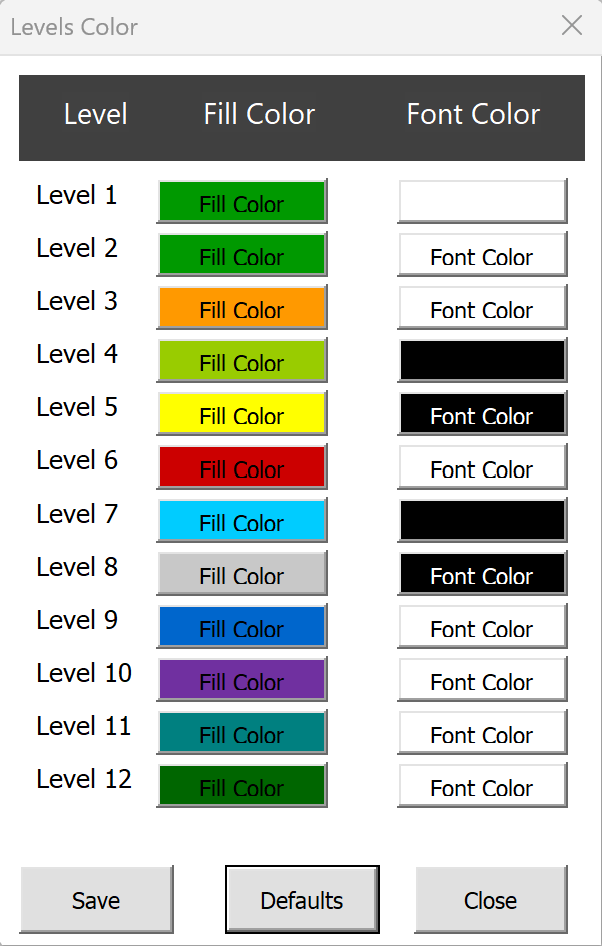
The latest update allows for customised formatting and coloring for up to 12 levels. Ensure clarity even in the most complex project schedules. Download it now. It may not be free for long time!
The "Silent" Feedback Loop
Planners often issue schedules in PDF or standard Excel formats. The result? The management team rarely provides meaningful feedback.
Standard exports are notoriously difficult to navigate without the ability to expand/collapse WBS levels.
The Solution: P6 Simulation
Use our Schedule Format and Grouping tool to simulate the P6 environment in Excel.
Download For Free
Discussion
Thanks for sharing
Thanks Diab for the comment. It is a useful tool to share schedule with team members
Awesome Elliott...It will helps lot of time saving in scrutinizing and grouping activities. Really good worksheet. Thank you once again.
Great Tool Thank you
Thanks a lot Hemanth
Really a good sheet
Thanks for the comment
Thanks for sharing.
Thanks Samuel for the comment
Perfect ... tried many times to make similar ... Thanks for sharing ... Good Job
Hi Hany, Thanks for the comment. We glad that we could help you.
Wonderful!
Thanks for the comment.
Nice tool. Thanks Can i have the password for the sheet
Thanks Syed for the comment. What password are you referring to?
Password to modify the sheet in visual basic, for example I have sorted and grouped as per the p6 but now i want to protect cells, which we can do but enable grouping, we need to edit in visual basic, please let me know via Whatsapp +974-70463366
Bilal, if you protect entire sheet, then the the Macros will not work. So, protect only the the columns that you have data. Then it should work.
Very Useful Contents
Thank you for this post. But it would not work in my excel. kindly direct what to do. Microsoft Office 16
Hi Lara, It might not work on the company's laptop because of the limited access to run the macros. Please try to use it on your personal laptop. if it does not work then let us know.
For me it only goes to Level 2. Why its not grouping all the levels
Hi Ozman, make sure the Activity ID and Activity name are in column A and B.Then it will work for 8 levels.
I guess my org wont let me run password protected macros , any chance the password can be provided for the macro so im able to use it?
Providing password will not fix it!
Hi Bro, it's months I'm looking for this, thanks for sharing.
Have a nice day.
Leave a Comment