The Schedule development is a complex process which requires many data, calculations, skills and knowledge. Even, if the data is available, most of the Planners fail to develop it accurately. Some Planners try to come up with a sensible solution but when they get checked in detail, many inaccuracies are discovered. We did discuss one of them (assigning direct resources to LOE or WBS summary) in another article. In this article, we will discuss another practice which seems widely used and accepted as a correct process.
To demonstrate the practice, we will use the following activities:
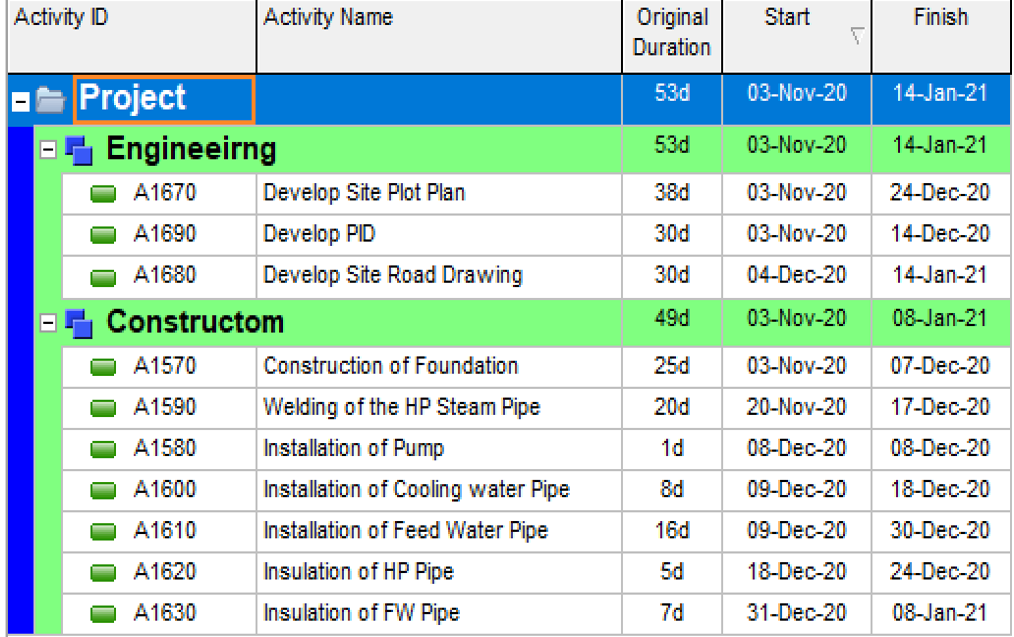
Step 1: Masking the Units
The confusion usually begins with the User Preferences. A planner sets the Units Format to "Day" and uncheck "Show Unit Label." This hides whether P6 is looking at hours or days, creating the perfect environment for an incorrect resource loading output.
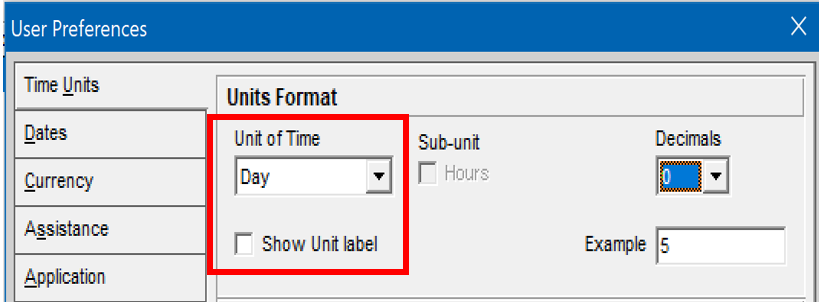
Step 2: The "Headcount" Assignment
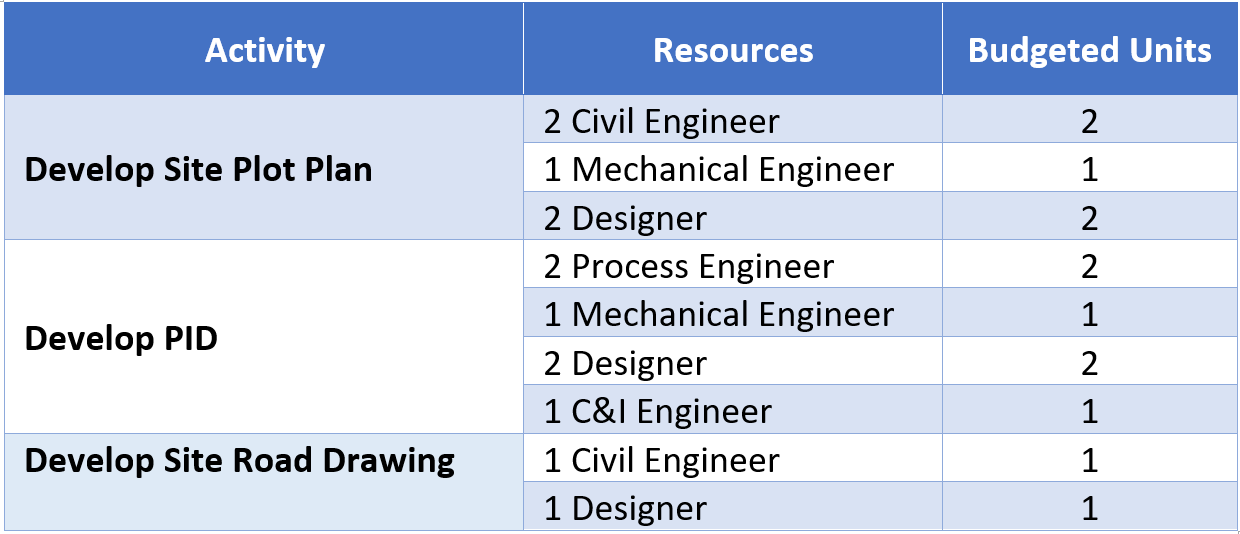
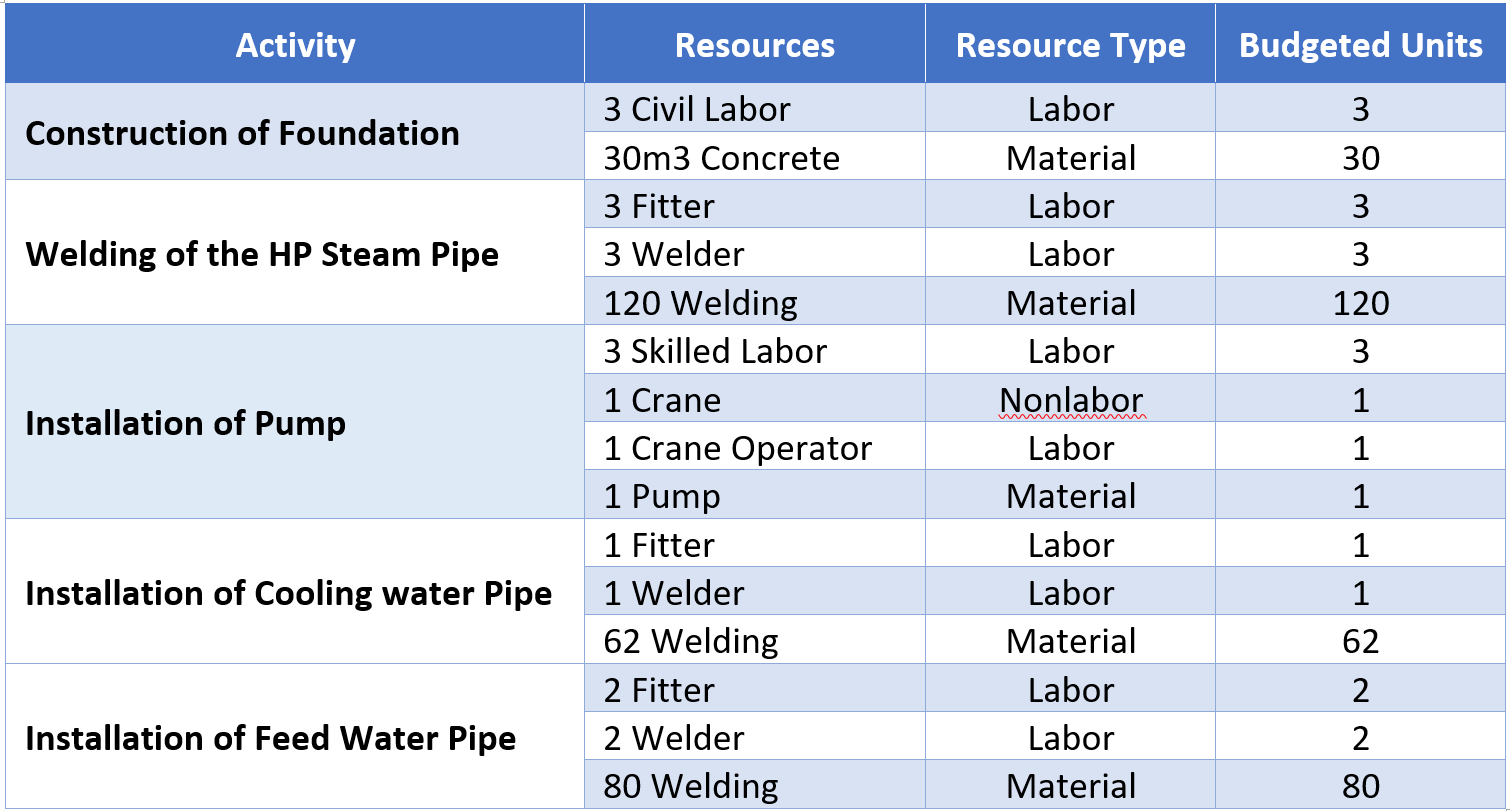
Once the resource pool is created, the planner begins assigning resources to each activity. For example, for Activity A1670, he.she assigns a Civil Engineer, a Mechanical Engineer, and two Designers. The planner then defines the required number of resources: one Civil Engineer (budgeted unit = 1), one Mechanical Engineer (budgeted unit = 1), and two Designers (budgeted units = 2). This same approach gets applied to the rest of the activities in the schedule. The results will be the same as the table below:
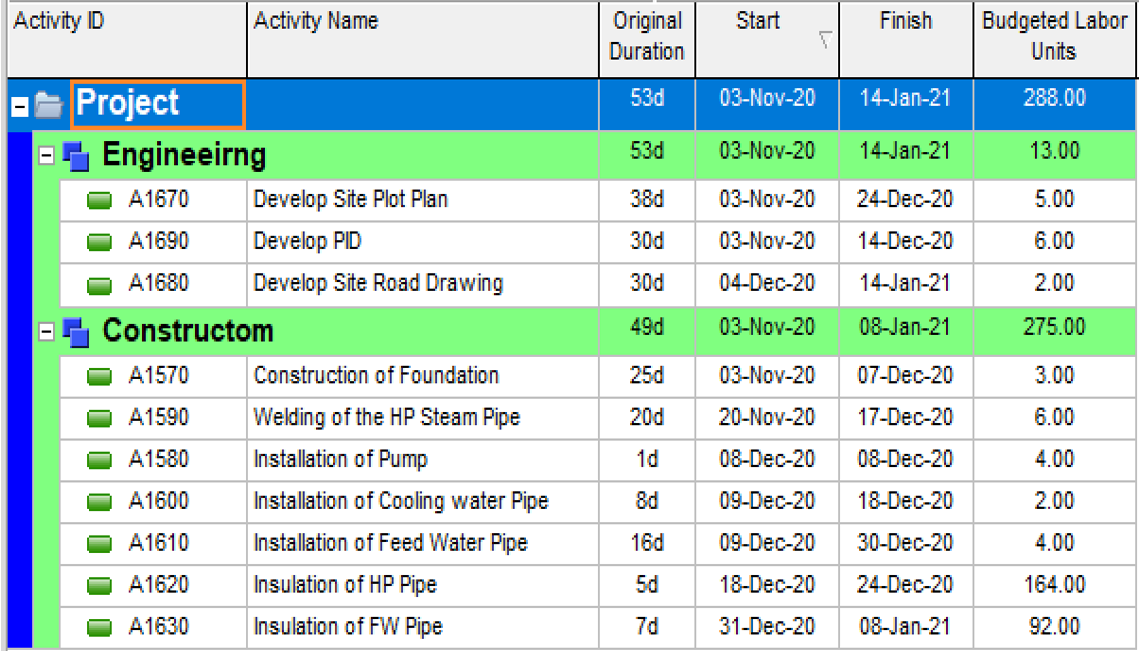
In the schedule, the loading looks visually "clean" because the labels are hidden:
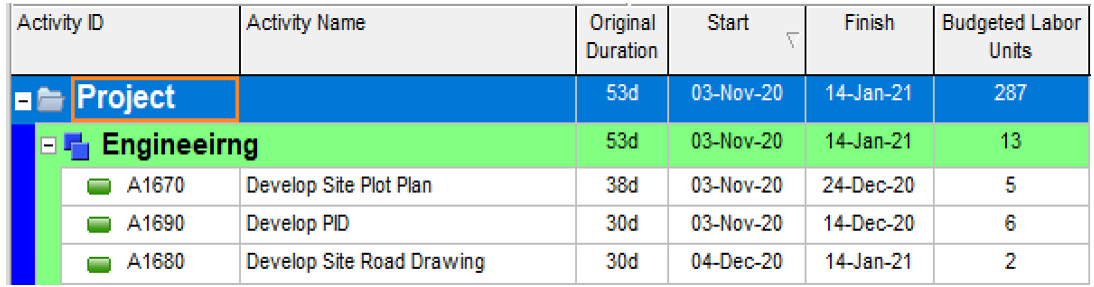
Extending the same practice to the Construction
The same process is applied to construction activities. The planner assigns a specific number of Labors and Non-Labors, assuming that entering "3" or "4" represents the number of resources per activity.
The schedule results appear to follow the plan perfectly:
The Reveal: The Mathematical Collapse
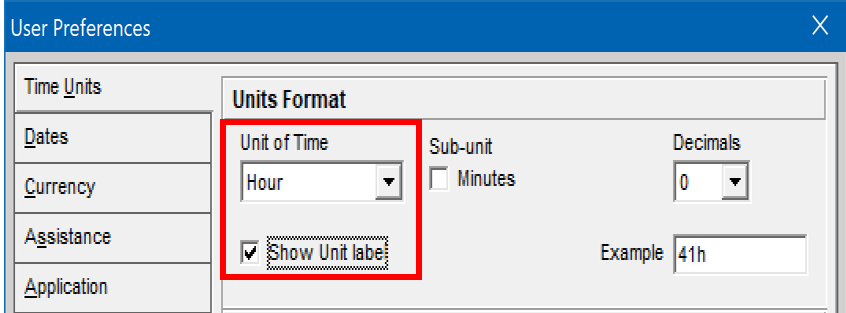
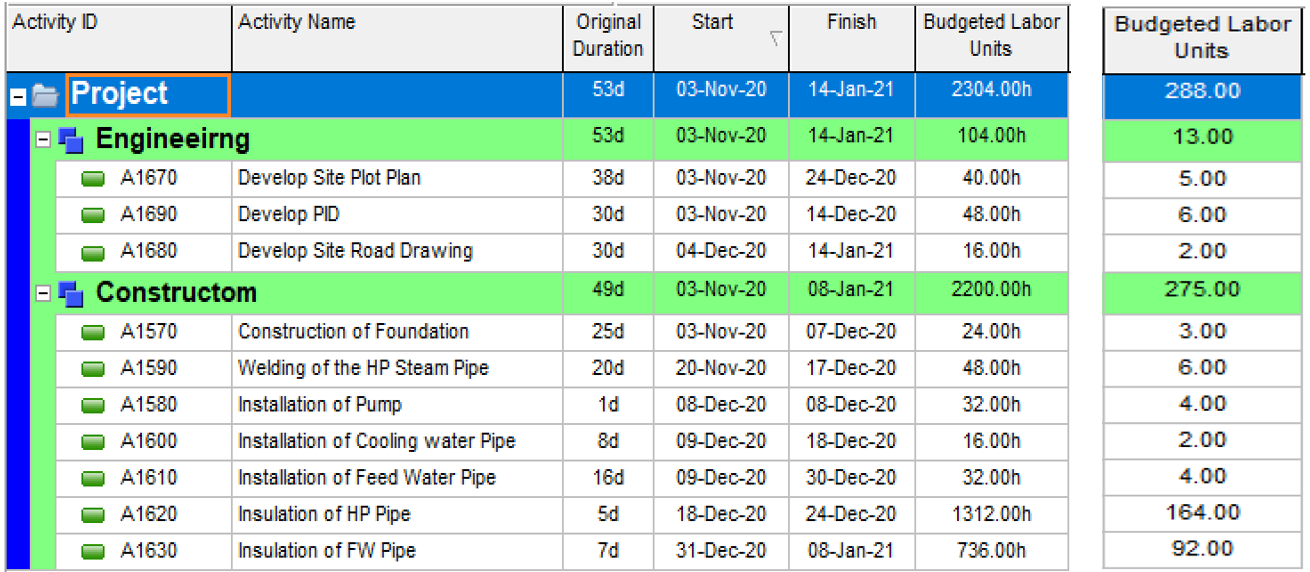
Everything looks correct, until you switch the Units Format back to "Hour" and tick "Show Unit Label."
Now, P6 exposes the reality of the budgeted units. For a construction activity spanning 25 days to build a 30m³ foundation, the schedule now indicates it only requires 24 total man-hours (8 hrs/day × 3 resources).
The Bottom Line
Budgeted Units are not a headcount. They represent the total man-hours required to complete the activity's scope of work.
In a real-world project with hundreds of activities, it is virtually impossible to identify exactly how many laborers will be on a specific task every day and then ask the project team to assign the same number of resources to activities (what is the solution?). By confusing headcount with man-hours, you create a schedule that is mathematically impossible to execute.
Discussion
I like project planning in engineering
Leave a Comment